Udacity Self-Driving Car Engineer Nanodegree program
The second lesson of the Udacity Self-Driving Car Nanodegree program is actually a lesson followed by a project. In “Finding Lane Lines”, my colleague Ryan Keenan and I teach students how to use computer vision to extract lane lines from a video of a car driving down the road.
Students are able to use this approach to find lane lines within the first week of the Nanodegree program! This isn’t the only way to find lane lines, and with modern machine learning algorithms it’s no longer the absolute best way to find lane lines. But it’s pretty effective, and it’s amazing how quickly you can get going with this approach.
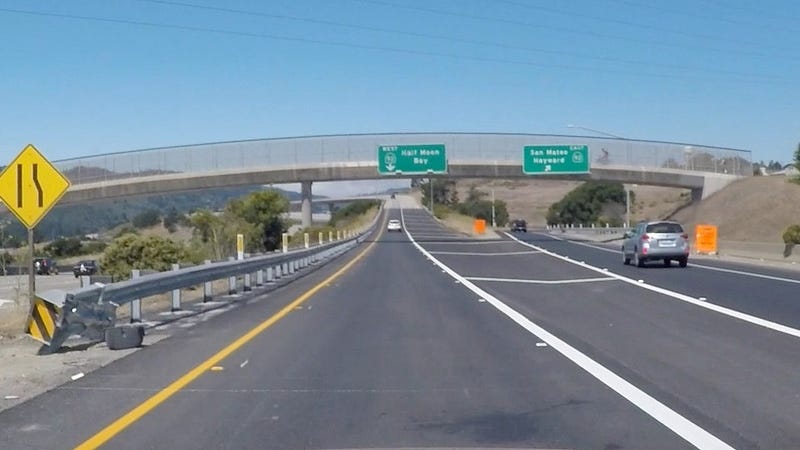
Here’s a photo of Interstate 280, taken from Carla, Udacity’s own self-driving car:
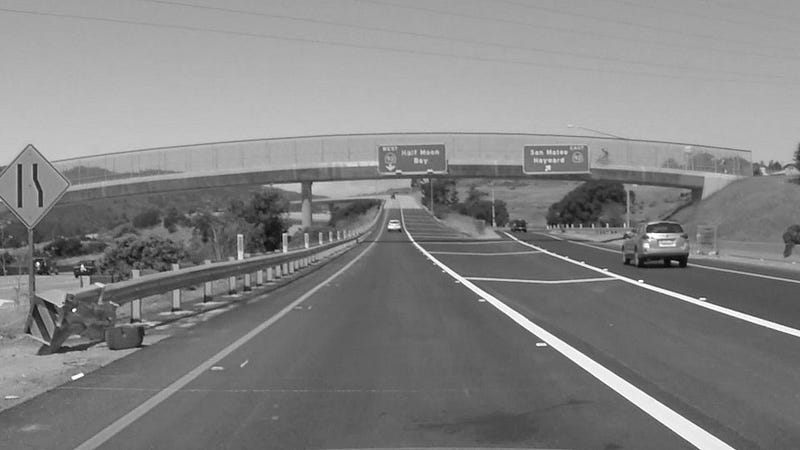
The first thing we’re going to do is convert the image to grayscale, which will make it easier to work with, since we’ll only have one color channel:
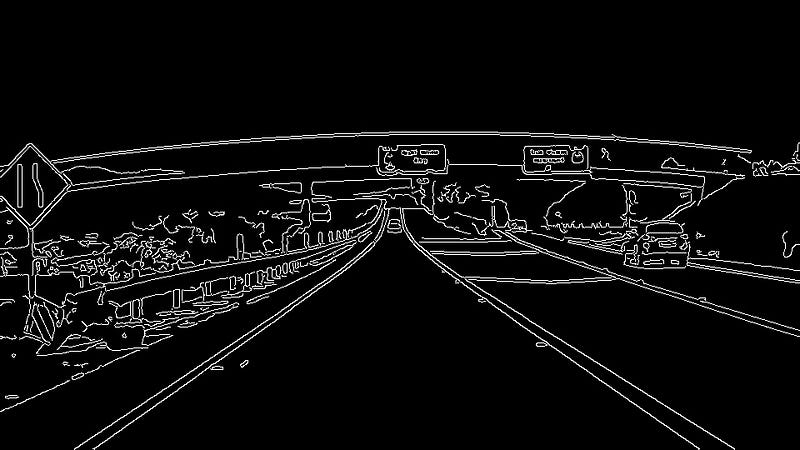
Next, we’ll perform “Canny edge detection” to identify edges in the image. An edge is place where the color or intensity of the image changes sharply:
Now that we have the edges of the image identified, we can use a technique called a “Hough transform” to find lines in the image that might be the lane lines we are looking for:
All of these tools have various parameters we can tune: how sharp should the edges be, how long should the lines be, what should the slope of the line be. If we tune the parameters just right, we can get a lock on our lane lines:
Apply these lane lines to the original image, and you get something like this “Finding Lane Lines” project, submitted by our student Jeremy Shannon:
We also cover the history of self-driving cars, the logistics of how Udacity and this Nanodegree program work, and the projects that students will build throughout the program.
For the last year and a quarter, I’ve been working with a team at Udacity to build the Self-Driving Car Engineer Nanodegree program. This is a nine-month program that prepares software engineers for jobs working on autonomous vehicles.
Over the coming weeks and months, I’m going to produce a new post about each of the lessons in the Nanodegree program, to help you explore what you can learn. As of right now, there are 67 lessons, so I anticipate this process will take me several months to complete. But I’m excited to spend time reviewing and sharing what we’ve built!
During our program we cover: computer vision, deep learning, sensor fusion, localization, path planning, control, advanced electives, and finally system integration. In the final part of the program, students even get to put their own code on Carla, Udacity’s actual self-driving car.
I’ll start today with a quick post about our 1st lesson, which is entitled: “Welcome”.
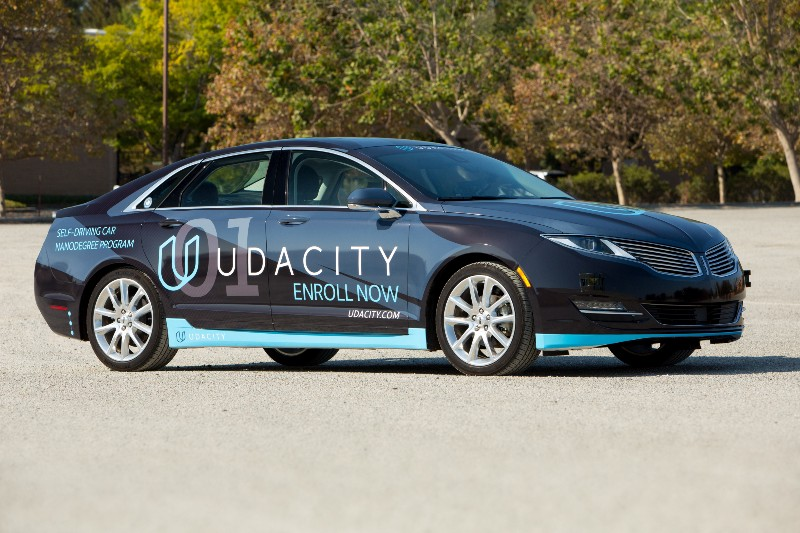
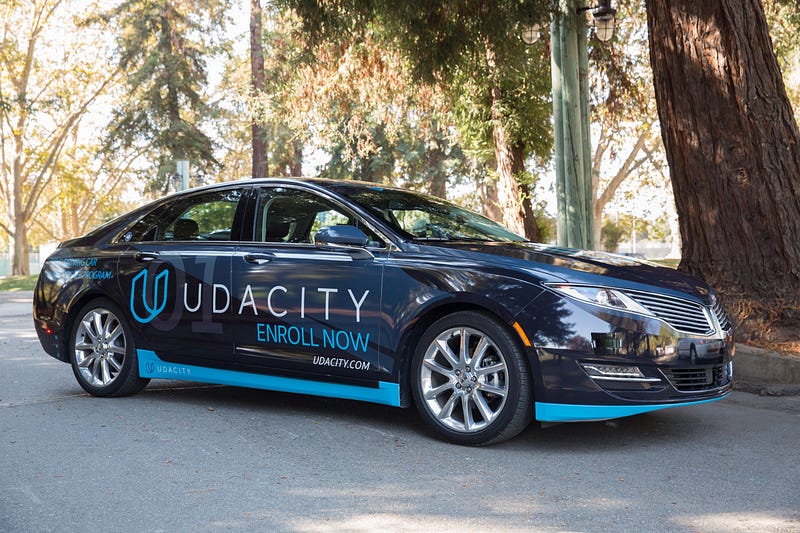
At Udacity, where I work, we have a self-driving car. Her name is Carla.
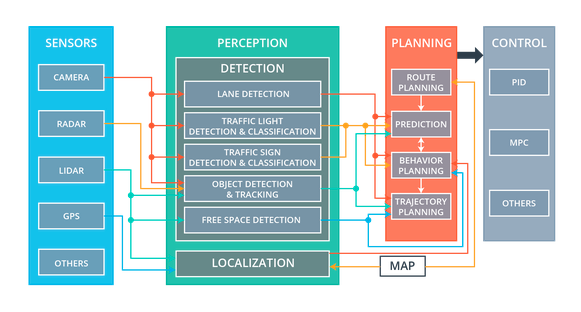
Carla’s technology is divided into four subsystems: sensors, perception, planning, and control.
Sensors
Carla’s sensor subsystem encompasses the physical hardware that gathers data about the environment.
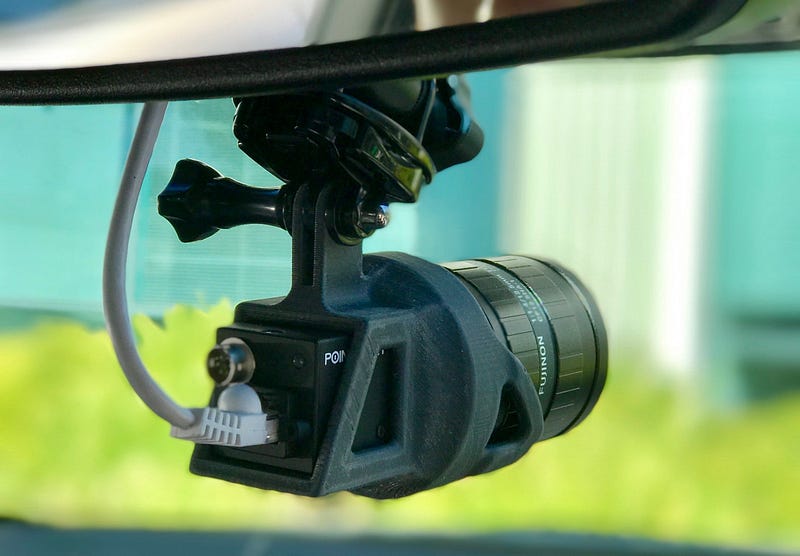
For example, Carla has cameras mounted behind the top of the windshield. There are usually between one and three cameras lined up in a row, although we can add or remove cameras as our needs change.
Carla also has a single front-facing radar, embedded in the bumper, and one 360-degree lidar, mounted on the roof.
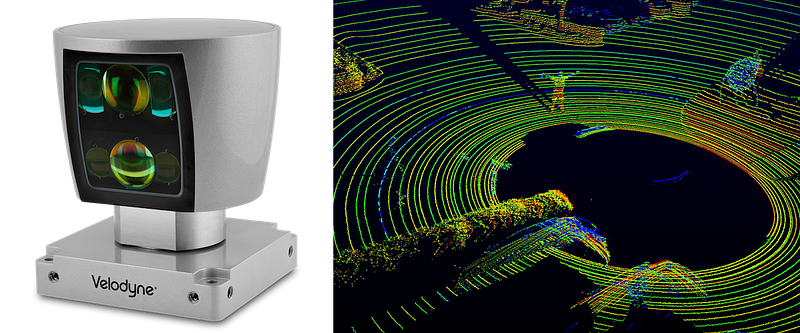
This is what a lidar sensor looks like, and this is what lidar data looks like. It’s a point cloud.
Sometimes Carla will utilize other sensors, too, like GPS, IMU, and ultrasonic sensors.
Data from these sensors flows into various components of the perception subsystem.
Perception
Carla’s perception subsystem translates raw sensor data into meaningful intelligence about her environment. The components of the perception subsystem can be grouped into two blocks: detection and localization.
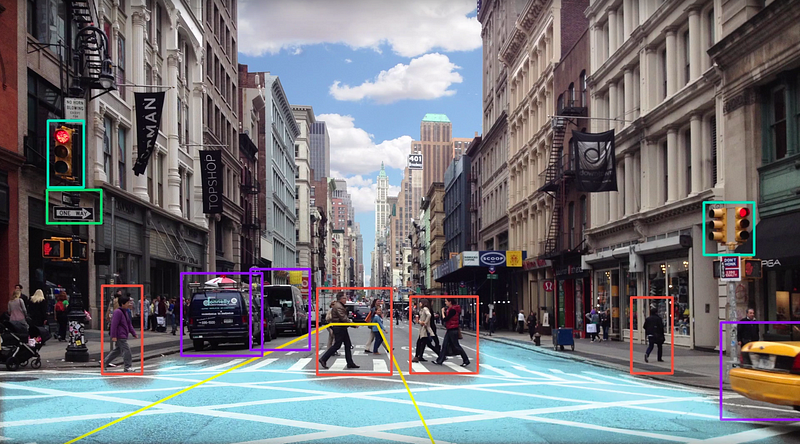
The detection block uses sensor information to detect objects outside the vehicle. These detection components include traffic light detection and classification, object detection and tracking, and free space detection.
The localization block determines where the vehicle is in the world. This is harder than it sounds. GPS can help, but GPS is only accurate to within 1–2 meters. For a car, a 1–2 meter error range is unacceptably large. A car that thinks it’s in the center of a lane could be off by 1–2 meters and really be on the sidewalk, running into things. We need to do a lot better than the 1–2 meters of accuracy that GPS provides.
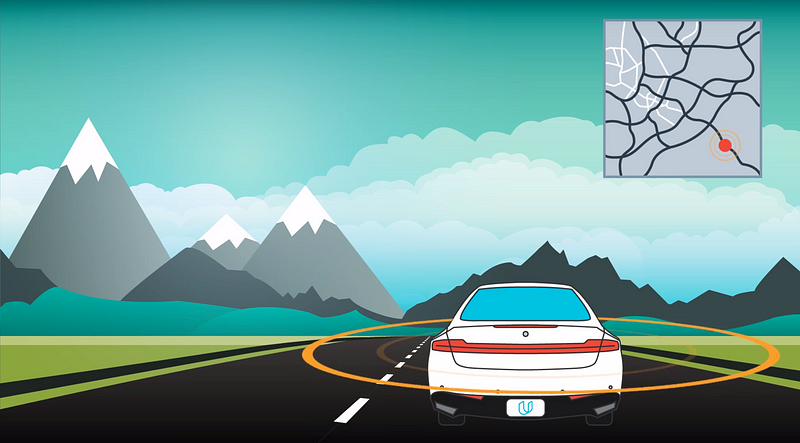
Fortunately, we can localize Carla to within 10 centimeters or less, using a combination of high-definition maps, Carla’s own lidar sensor, and sophisticated mathematical algorithms. Carla’s lidar scans the environment, compares what it sees to a high-definition map, and then determines a precise location.
Carla localizes herself by figuring out where she is on a high-definition map.
The components of the perception subsystem route their output to the planning subsystem.
Planning
Carla has a straightforward planning subsystem. The planner builds a series of waypoints for Carla to follow. These waypoints are just spots on the road that Carla needs to drive over.
Each waypoint has a specific location and associated target velocity that Carla should match when she passes through that waypoint.
Carla’s planner uses the perception data to predict the movements of other vehicles on the road and update the waypoints accordingly.
For example, if the planning subsystem were to predict that the vehicle in front of Carla would be slowing down, then Carla’s own planner would likely decide to decelerate.
The final step in the planning process would be for the trajectory generation component to build new waypoints that have slower target velocities, since in this example Carla would be slowing down as she passes through the upcoming waypoints.
Similar calculations affect how the planning subsystem treats traffic lights and traffic signs.
Once the planner has generated a trajectory of new waypoints, this trajectory is passed to the final subsystem, the control subsystem.
Control
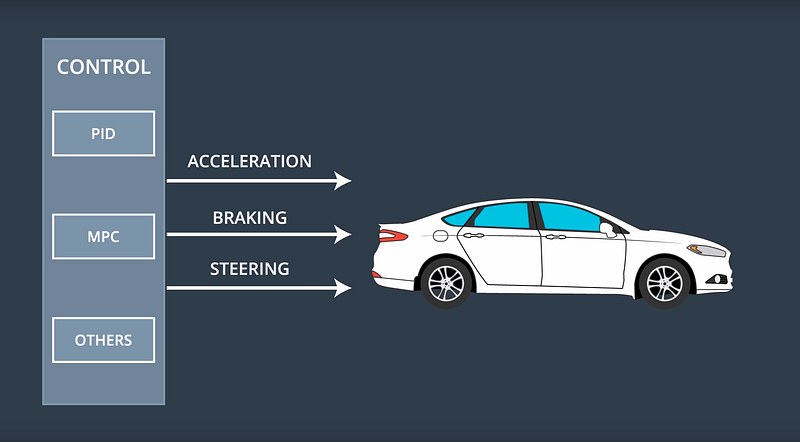
The control subsystem actuates the vehicle by sending acceleration, brake, and steering messages. Some of these messages are purely electronic, and others have a physical manifestation. For example, if you ride in Carla, you will actually see the steering wheel turn itself.
The control subsystem takes as input the list of waypoints and target velocities generated by the planning subsystem. Then the control subsystem passes these waypoints and velocities to an algorithm, which calculates just how much to steer, accelerate, or brake, in order to hit the target trajectory.
There are many different algorithms that the control subsystem can use to map waypoints to steering and throttle commands. These different algorithms are called, appropriately enough, controllers.
Carla uses a fairly simple proportional-integral-derivative (PID) controller, but more sophisticated controllers are possible.
A Self-Driving Car
That’s how Carla works!
First, the sensor subsystem collects data from Carla’s cameras, radar, and lidar. The perception subsystem uses that sensor data to detect objects in the world and localize the vehicle within its environment. Next, the planning subsystem uses that environmental data to build a trajectory for Carla to follow. Finally, the control system turns the steering wheel and fires the accelerator and brake in order to move the car along that trajectory.
We’re very proud of Carla. She’s driven from Mountain View to San Francisco, and done lots of driving on our test track.
The most exciting thing about Carla is that every Udacity student gets to load their code onto her computer at the end of the Nanodegree Program and see how well she drives on our test track.
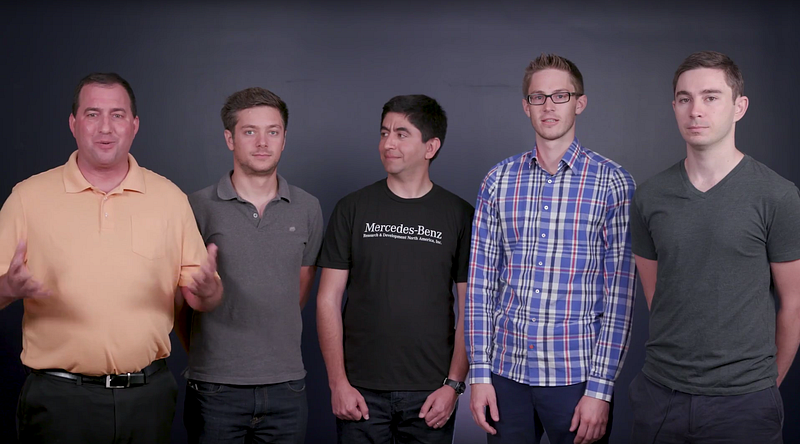
Meet some of the people behind the self-driving car revolution!
Mahni is a little spooked by my sunburn.
The Autonomous Vehicle field is full of amazing personalities — people who possess remarkable technical skills and rarefied knowledge, but who are also supremely creative, and incredibly passionate.
They’re one of our core partners for our Self-Driving Car Engineer Nanodegree program, and they’ve done a remarkable job of not just teaching our students technical skills, but giving them with a real sense of purpose and vision. Perhaps most importantly, they have helped to make complex autonomous vehicle concepts accessible to every single student we teach.
First, meet Axel. In this video, he shares the history of Mercedes-Benz and autonomous vehicle research, and also describes the type of engineers they are hiring today:
In this next video, Dominik, Michael, and Andrei outline the tools the Mercedes-Benz sensor fusion team uses to combine sensor data for tracking objects in the environment:
Next, Maximillian and Tiffany talk about the work they do on the localization team to help the vehicle determine where it is in the world:
Finally, in this video, Tobi, Mahni, Beni, and Emmanuel outline the three phases of path planning. First, the prediction team estimates what the environment will look like in the future. Then, the behavior planning team decides which maneuver to take next, based on those predictions. Lastly, the trajectory generation team builds a safe and comfortable trajectory to execute that maneuver:
Amazing people, right? Are you ready to join them? Then you should apply to join them at Mercedes-Benz, because they’re hiring!
Not quite ready yet? Then apply now for our Self-Driving Car Engineer Nanodegree program! You’ll be joining the next generation of autonomous vehicle experts, and that’s a pretty amazing thing.
Are you trying to decide which Udacity Nanodegree Program you should enroll in? Here’s an all-in-one guide to help you determine which program is best for you.
Partner:Google Lead Instructors:Katherine Kuan, Chris Lei Difficulty:Beginner Time:6 months Syllabus:User Interface + User Input + Multiscreen Apps + Networking + Data Storage Prerequisites: None! Cost: $199 / month Best For:Aspiring Android Developers with no programming experience.
Partner:Google Lead Instructor:James Williams, Reto Meier Difficulty: Intermediate Time: 8 months Syllabus: Developing Android Apps + Advanced Android App Development + Gradle for Android and Java + Material Design for Android Developers + Capstone Project Prerequisites: Java, git, GitHub Cost: $999 upfront OR $199/month Best For:Intermediate programmers who want to become Android specialists.
Partners:IBM Watson, Amazon Alexa, DiDi Chuxing, Affectiva Lead Instructor:Sebastian Thrun, Peter Norvig Difficulty: Advanced Time: 6 months Syllabus: Foundations of AI + Deep Learning and Applications + Computer Vision + Natural Language Processing + Voice User Interfaces Prerequisites: Python, basic linear algebra, calculus, and probability Cost: $1600 Best For:Engineers who want to apply AI tools across an array of domains, from computer vision to natural language processing to voice interfaces.
Partners:AT&T, Lyft, Google Difficulty: Intermediate Time: 6 months Syllabus: UIKit Fundamentals + iOS Networking with Swift + iOS Persistence and Core Data + How to Make an iOS App Prerequisites: macOS 10.12 or OS X 10.11.5 Cost: $199 / month Best For:Beginners who want to launch their iOS developer careers.
Partners:Alteryx, Tableau Lead Instructor:Patrick Nussbaumer Difficulty: Intermediate Time: 160 hours Syllabus: Problem Solving with Advanced Analytics + Creating an Analytical Dataset + Segmentation and Clustering + Data Visualization in Tableau + Classification Models + A/B Testing for Business Analysts + Time Series Forecasting Prerequisites: Basic statistics and spreadsheet skills, a Windows computer Cost: $199 / month Best For:Aspiring data analysts who want to launch a career in data-driven decision-making and visualization, as opposed to programming.
Partners: Facebook, Tableau Lead Instructor:Caroline Buckey Difficulty: Intermediate Time: 260 hours Syllabus: Descriptive Statistics + Intro to Data Analysis + Git and GitHub + Data Wrangling + MongoDB + Exploratory Data Analysis + Inferential Statistics + Intro to Machine Learning + Data Visualization in Tableau + Introduction to Python Programming Prerequisites: None! Cost: $199 / month Best For:Aspiring data scientists who want to launch a career in developing software to extract meaning from data.
Lead Instructors: Ian Goodfellow, Andrew Trask, Mat Leonard Difficulty: Intermediate Time: 6 months Syllabus: Introduction + Neural Networks + Convolutional Neural Networks + Recurrent Neural Networks + Generative Adversarial Networks Prerequisites: Python, basic linear algebra and calculus Best For:Students excited by the potential for deep learning to change the world, and who additionally wish to earn guaranteed entry into Udacity’s Artificial Intelligence, Robotics, or Self-Driving Car Engineer Nanodegree Programs (a special “perk” of the program for graduates!).
Digital Marketing
Partners: Facebook, Google, Hootsuite, HubSpot, MailChimp, Moz Lead Instructor:Anke Audenaert Time: 3 months Syllabus: Marketing Fundamentals + Content Strategy + Social Media Marketing + Social Media Advertising through Facebook + Search Engine Optimization (SEO) + Search Engine Marketing with AdWords + Display Advertising + Email Marketing + Measure and Optimize with Google Analytics Prerequisites: None! Best For:Hard workers seeking to launch or advance their digital marketing careers through real-world experience and multi-platform fluency.
Partners: Amazon Web Services, GitHub,AT&T, Google Lead Instructors: Mike Wales, Karl Krueger Difficulty: Intermediate Time: 6 months Syllabus: Programming Foundations with Python + Responsive Web Design Fundamentals + Intro to HTML and CSS + Responsive Images + Intro to Relational Databases + Authentication & Authorization: OAuth + Full Stack Foundations + Intro to AJAX + JavaScript Design Patterns + Configuring Linux Web Servers + Linux Command Line Basics Prerequisites: Python and git Cost: $199 / month Best For:Developers who want to learn to build web applications from end-to-end.
Lead Instructor: Andy Brown Difficulty: Beginner Time: 5 months Syllabus: Learn to Code + Make a Stylish Webpage + Python Programming Foundations + Object-Oriented Programming with Python + Explore Programming Career Options + Experience a Career Path Prerequisites: None! Cost: $399 Best For:Beginners looking for an accessible approach to coding.
Lead Instructors: Michael Jackson, Ryan Florence, Tyler McGinnis Difficulty: Intermediate Time: 4 months Syllabus: React Fundamentals + React & Redux + React Native Prerequisites: HTML, JavaScript, Git Cost: $499 Best For:Front-end engineers who want to master the web’s hottest framework. React is the highest-paid sub-field of web development!
Partners: Bosch, Electric Movement, iRobot, Kuka, Lockheed Martin, MegaBots, Uber ATG, X Lead Instructor: Ryan Keenan Difficulty: Advanced Time: 6 months Syllabus: ROS Essentials, Kinematics, Perception, Controls, Deep Learning for Robotics Prerequisites: Intermediate Python, calculus, linear algebra, and statistics Cost: $2400 Best For:Makers who dream of building machines that impact everything from agriculture to manufacturing to security to healthcare.
Partners: Mercedes-Benz, NVIDIA, Uber ATG Lead Instructor: David Silver (that’s me!) Difficulty: Advanced Time: 9 months Syllabus: Deep Learning + Computer Vision + Sensor Fusion + Localization + Path Planning + Control + System Integration Prerequisites: Intermediate Python, calculus, linear algebra, and statistics Cost: $2400 Best For:Engineers who want to join technology’s hottest field and revolutionize how we live.
Partners: Google VR, Vive, Upload, Unity, Samsung Lead Instructor: Christian Plagemann Difficulty: Advanced Time: 6 months Syllabus: Unity + C# + Google Cardboard + Ergonomics + User Testing + Interface Design + Mobile Performance + High-Immersion Unity + High-Immersion Unreal Prerequisites: None! Cost: $1200 Best For:People who want to build new worlds. VR is the most in-demand skill for freelance developers!
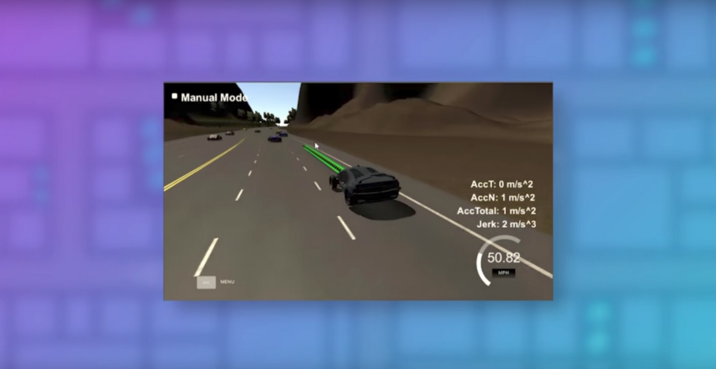
Today Udacity launched a Path Planning Challenge in conjunction with Bosch, the world’s largest automotive supplier.
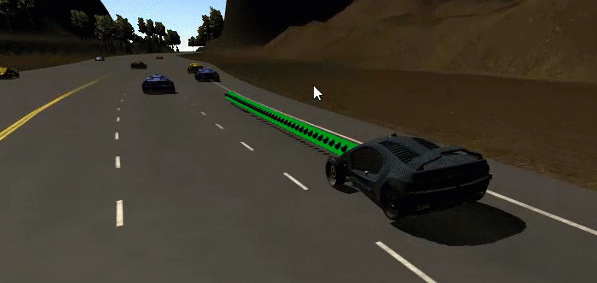
The challenge is basically a competitive version of our Term 3 Path Planning Project. The goal is to navigate a simulated vehicle through highway traffic as quickly as possible, without violating speed, acceleration, and jerk constraints. And without colliding with any other traffic, of course 🙂
The top 25 entrants will get an interview with Bosch’s autonomous vehicle group.
If you’re enrolled in the program, especially if you’re already in Term 3 and working on the Path Planning project, you should take a look at participating!
And if you’re not enrolled yet, you should apply! We anticipate rolling out more of these in the future 🙂
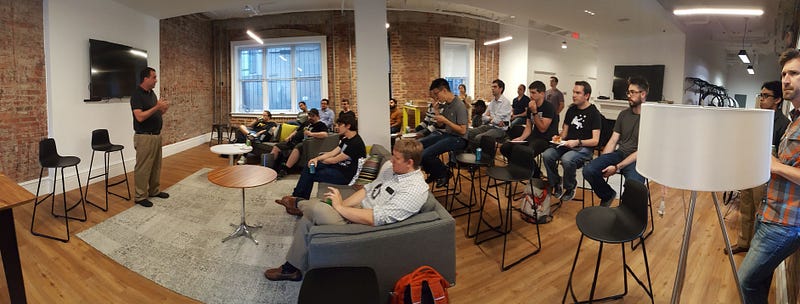
We recorded a video at Udacity recently in which I walked prospective students through the Nanodegree Program, including some new videos of Term 3 projects.
We covered everything from deep learning, to the SAE automation levels, to safety and security, to public policy. There were lots of great questions and it was lots of fun.
Juan and Antonio rigged up a lightweight video recording from a laptop webcam, and I think it came out surprisingly well. Feel free to watch below.



 David Silver